
CMS for Small Business Websites: What Owners Actually Need
A CMS should make everyday website updates simple without turning the owner into a developer. This guide explains what small businesses actually need from a CMS, what to delegate, and how managed support helps after launch.
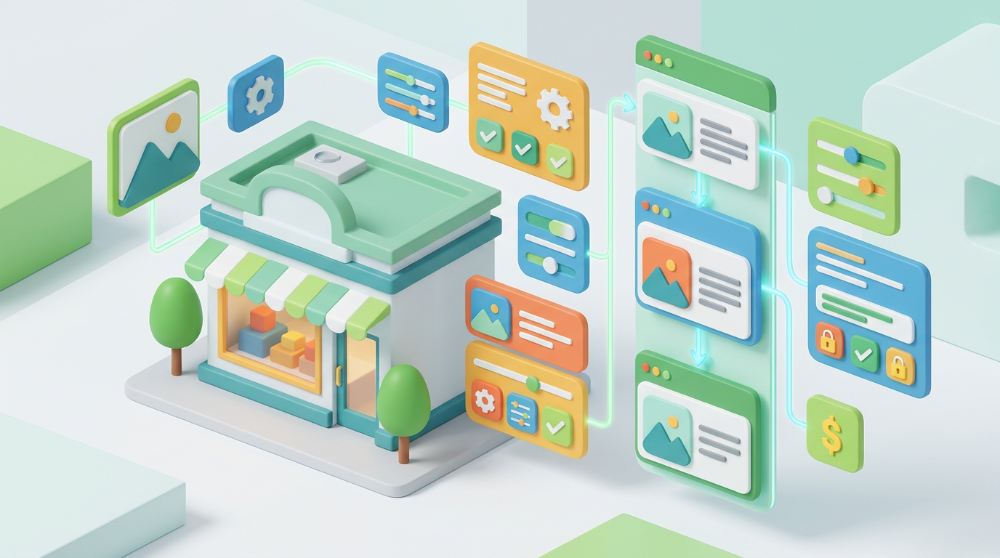
A CMS sounds like a technical feature, but for a small business it is really about control.
Can you update your opening hours before a holiday weekend? Can you change a service description without waiting three weeks? Can you add a new team member, swap photos, publish a short announcement, or fix a typo after a customer points it out?
That is what a content management system should help with. It should make everyday website updates simple without forcing the owner to become a web developer.
The problem is that "has a CMS" can mean many different things. Some systems are flexible but easy to break. Some are simple but too limited. Some give the owner access, then leave them alone with plugins, layout settings, SEO fields, image sizes, security updates, and support tickets.
For most small businesses, the best CMS is not the one with the longest feature list. It is the one that lets the right people update the right content safely, while the technical pieces stay managed.
Quick Checklist
A practical CMS for a small-business website should let you handle these routine updates:
- Opening hours, holiday hours, and contact details.
- Service descriptions, menus, prices, or package details.
- Photos, staff bios, testimonials, and project examples.
- Blog posts, announcements, or simple news updates.
- Basic SEO fields such as page titles, descriptions, and image alt text.
- Contact form routing or inquiry details when needed.
It should also protect you from changes that can quietly damage the site:
- Broken layouts.
- Oversized images.
- Duplicate pages.
- Missing form labels.
- Confusing navigation.
- Plugin, theme, or hosting problems.
That balance matters. Small-business owners need content control, not a second job.
What a CMS Should Actually Do
A CMS should separate the content of your website from the technical structure behind it.
In plain English, that means you should be able to edit the business information visitors care about without touching code. The CMS should give you fields, blocks, or structured sections for the things that change over time.
For a restaurant, that might be menu sections, opening hours, seasonal photos, booking links, and announcements. For a clinic, it might be practitioners, services, insurance notes, location details, and appointment instructions. For a law firm, it might be practice areas, attorney bios, consultation information, and short articles.
The CMS should make those updates predictable. If you change a price, service name, or photo, you should not have to rebuild the page layout from scratch.
Google's SEO guidance also points toward a practical principle: organize content so users and search engines can understand how pages relate to each other. A good CMS should support that by making page titles, URLs, headings, images, and internal links easier to manage without technical guesswork.
The Updates Owners Should Be Able to Make
The first CMS question is not "Which platform is best?" It is "What should the business be able to update without help?"
Most owners should be able to edit:
- Business name, address, phone, and email details.
- Hours and holiday notices.
- Main service descriptions.
- Team members and staff bios.
- Photos and galleries.
- Testimonials or reviews selected for the site.
- Blog posts or updates.
- Basic calls to action.
This does not mean every owner needs access to every design setting. In fact, too much freedom can create problems. If anyone can change spacing, fonts, colors, layout columns, menus, scripts, and page templates, the site can become inconsistent quickly.
For a small business, the safest CMS often uses structured editing. The owner can update content, while the design system keeps pages looking consistent.
That is especially useful when more than one person helps with the website. A receptionist may update hours. A manager may update services. An owner may approve blog posts. A website partner may handle layout, SEO cleanup, and technical changes.
The Updates That Usually Need Support
Some updates look simple but touch more than one part of the website.
For example, adding a new service page is not just writing a paragraph. It may need a clear URL, page title, meta description, internal links, navigation placement, local context, a call to action, images, and a form path. Changing a booking tool may affect buttons, tracking, confirmation messages, and mobile usability.
These updates are better handled with support:
- Adding major new pages.
- Changing the site structure or navigation.
- Reworking the homepage.
- Connecting booking, CRM, or email tools.
- Moving domains or changing DNS records.
- Editing tracking, analytics, or conversion events.
- Fixing layout problems across desktop and mobile.
- Updating privacy, cookie, or form behavior.
This is where a managed CMS website helps. The owner can make normal business updates, but there is still a practical path for changes that need design, SEO, or technical judgment.
What CMS Access Should Not Mean
CMS access should not mean the business is responsible for everything after launch.
That is a common trap. A site is sold as "easy to edit," but the owner later discovers they are expected to manage updates, backups, security, broken plugins, hosting issues, layout bugs, forms, redirects, and performance.
For many small businesses, that is not realistic. The owner wanted to update a service description, not become the website operations team.
A healthy setup separates responsibilities:
- The business owns the content decisions.
- The CMS makes routine updates easy.
- The website provider handles setup, hosting, structure, support, and technical maintenance.
That is the difference between access and abandonment. A CMS should give control without dropping the whole technical burden on the business.
CMS Features That Matter for SEO
Small-business SEO does not require every advanced setting in the world. It does require clean basics.
Your CMS should make it easy to manage:
- Page titles that describe the page clearly.
- Meta descriptions that help people understand the result.
- Short, readable URLs.
- Descriptive headings.
- Image alt text.
- Internal links between related pages.
- Blog or article publishing.
- Location and service content where relevant.
It should also help avoid duplicate or low-value pages. Google notes that duplicate content on a site is not automatically a spam violation, but it can create a poor user experience and waste crawl resources. For a small business, the practical lesson is simple: do not create five near-identical pages just because the CMS makes it easy.
The CMS should make good publishing easier, not make messy publishing faster.
CMS Features That Matter for Leads
A CMS is not only about content. It affects conversion too.
If the owner can update a service page but cannot edit the call to action, the page may stay weak. If the team can add a new location but cannot connect it to the right form, leads may go to the wrong inbox. If a staff member uploads huge images, the mobile page may become slow.
For lead generation, the CMS should support:
- Clear contact buttons.
- Simple inquiry or booking paths.
- Correct form routing.
- Confirmation messages.
- Mobile-friendly image handling.
- Easy updates to service, pricing, and availability details.
Forms deserve extra attention. W3C accessibility guidance recommends simple forms, clear labels, instructions, validation, and helpful user notifications. That is not just an accessibility detail; it is also better for busy customers trying to contact a business from a phone.
Permissions Matter More Than People Think
Not everyone needs the same CMS access.
A small team may need roles such as:
- Owner or manager: can approve and publish.
- Editor: can draft or update content.
- Contributor: can submit text or images for review.
- Website partner: can handle layout, technical setup, and SEO-sensitive changes.
This prevents accidental damage. Someone updating a team bio should not also be able to break the homepage layout, remove tracking, or change sitewide navigation.
Permissions also make the workflow clearer. If a staff member submits a new service description, the owner can review it before it goes live. If the website partner needs to adjust formatting or SEO fields, that can happen without asking for raw text in a long email thread.
What to Ask Before Choosing a CMS
Before choosing a CMS or website package, ask practical questions:
- What can I update myself?
- What changes require support?
- Are pages structured so I cannot easily break the design?
- Can I edit SEO titles, descriptions, URLs, and image alt text?
- Who handles hosting, SSL, backups, updates, and technical issues?
- Can content changes be reviewed before publishing?
- What happens if I upload a large image or make a mistake?
- Can I add pages later if the business grows?
- Is there a clear support path for bigger changes?
The answers matter more than the brand name of the CMS. A powerful CMS with no support can become a burden. A simple CMS with the right structure and managed help can be enough for many small businesses.
The Managed CMS Approach
Brimky's approach is built for small-business owners who want control without the long agency process or technical overhead.
You start from a proven industry template, customize it to your brand, and launch quickly with the website, CMS, managed hosting, domain/DNS setup, SSL, contact forms, and support included. The goal is not to hand you a blank system and expect you to figure it out. The goal is to give you a working website that is structured, editable, and supported.
That means routine updates can stay simple, while bigger changes such as extra service pages, location pages, booking integrations, analytics, local SEO, or multilingual content can be handled as scoped additions.
For most small businesses, that is the practical middle ground: enough CMS access to keep the site current, plus enough managed support to keep the website from becoming another operational headache.
Bottom Line
A CMS for small business should help you keep your website accurate, useful, and current.
It should not force you to learn web development. It should not make every small update a support ticket. And it should not leave you responsible for hosting, security, layouts, SEO structure, forms, and technical maintenance unless you actually want that responsibility.
The right setup gives you control over everyday content and support for the work that affects performance, trust, and leads.
If you want a website that is easy to keep updated without managing the technical side yourself, Brimky can help you start from a proven template, customize it to your business, and launch with CMS, hosting, and support included.