
Service Area Pages for Local Businesses: What to Put on Them and What to Avoid
A practical guide for small-business owners who want location pages that help customers choose them, not copy-paste pages made only for search engines.
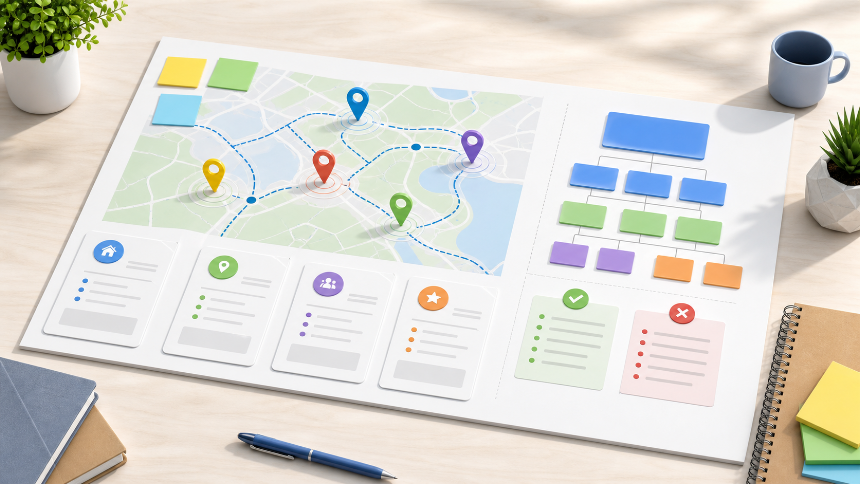
If your business serves more than one town, neighborhood, or suburb, service area pages can be useful. A plumber may work across five nearby cities. A cleaning company may cover several postal codes. A clinic, studio, or professional service firm may want to explain which local communities it serves.
The mistake is treating service area pages as a shortcut. A page that only swaps "Austin" for "Round Rock" and repeats the same generic copy is not useful to customers. It also risks becoming the kind of thin location page that exists mainly to chase search traffic.
A good service area page has a simpler job: help someone in that area decide whether you are a real fit for their need. It should answer practical questions, show local relevance, and give the visitor a clear next step.
What Is a Service Area Page?
A service area page is a page on your website for a specific city, town, neighborhood, or region you actually serve.
- Emergency plumbing in Plano
- House cleaning in North Austin
- Bookkeeping for small businesses in Brooklyn
- Wedding hair and makeup in Orange County
- Dental implants near Schaumburg
These pages are different from a generic "Areas We Serve" list. A list may show coverage at a glance, but a service area page gives one location enough context to stand on its own.
That does not mean every town needs a page. If you cannot write something genuinely useful for that area, do not create the page yet.
When a Service Area Page Makes Sense
Create a service area page when three things are true.
First, you actually serve customers there. Do not make pages for cities you would not normally take work in. Accuracy matters for visitors and for your broader local search footprint.
Second, customers in that area search differently enough to justify the page. A moving company, landscaper, contractor, cleaning service, accountant, clinic, salon, or legal office may have clear demand by city or neighborhood.
Third, you can add area-specific usefulness. That might include nearby landmarks, service constraints, travel fees, local examples, parking notes, appointment availability, neighborhood-specific services, or photos from real work in the area.
If the only difference is the city name, the page is not ready.
What to Put on a Good Service Area Page
Start with a plain-English headline that combines the service and the area. Avoid keyword-stuffed titles. "Roof Repair in Naperville" is clearer than "Best Affordable Naperville Roof Repair Contractor Services Near Me."
Near the top of the page, answer the visitor's basic questions:
- What service do you provide here?
- Who is it for?
- How quickly can someone contact, book, or request a quote?
- Do you visit customers, serve them at your location, or both?
- Are there any local limits, fees, or appointment details?
Then add supporting sections that make the page useful.
Include a short local introduction. Explain why customers in this area choose you, what types of jobs you handle there, and any local details that matter.
Include service details. Do not make the page only about the city. Explain the actual work: what is included, what is not included, what a customer should expect, and what information they should prepare before contacting you.
Include trust signals. Reviews, project examples, credentials, years in business, licenses, insurance notes, photos, and team details can all help. Only use claims you can support.
Include a clear call to action. The visitor should know whether to call, request a quote, book an appointment, send photos, or fill out a form.
Include internal links. Link back to the main service page, related services, the contact page, and a broader local SEO or website guide if relevant. Internal links help visitors move through the site and help search engines understand the relationship between pages.
What to Avoid
Avoid making dozens of near-identical pages. Google describes doorway abuse as pages created for similar search queries that funnel people to another destination rather than helping them directly. A set of city pages with the same copy and only the location swapped can move in that direction.
Avoid city keyword blocks. A paragraph that lists every suburb, ZIP code, and nearby town is not helpful. Use natural language and keep service area details readable.
Avoid fake local proof. Do not imply you have an office, team, completed project, or local license in a city unless that is true.
Avoid making a page for every possible area at once. Start with the locations that matter most commercially and where you can write the strongest content.
Avoid hiding important details. If you charge travel fees, only serve certain neighborhoods, or require appointments, say so. A smaller but accurate page is better than a broad page that creates bad leads.
Service Area Pages and Google Business Profile
Your website pages and your Google Business Profile are related, but they are not the same thing.
Google's Business Profile guidance says service-area businesses should describe where they serve customers accurately. Google also says service-area businesses that do not serve customers at their business address should remove the address from the profile, and that service areas should be specific and accurate.
Your website can support that same clarity. If your profile says you serve certain cities, your website should not tell a different story. If you have multiple staffed locations, explain them clearly. If you work from one central office and travel to customers, avoid pretending each city has its own office.
This is where a managed website setup helps. Domain, DNS, hosting, pages, forms, tracking, and local SEO details all need to line up. The goal is not just to publish pages. The goal is to publish pages that match how the business actually operates.
A Simple Service Area Page Structure
- Hero section: service plus area, one-sentence value proposition, call button or quote form.
- Local intro: who you help in that area and what problems you solve.
- Services offered: short list of the most relevant services for that area.
- Proof: reviews, photos, credentials, examples, or practical experience.
- Process: how booking, quoting, visits, or delivery works.
- Area details: neighborhoods, nearby towns, travel notes, parking, timing, or service limits.
- FAQ: three to five real questions customers ask before contacting you.
- CTA: call, book, request a quote, or send a message.
That structure works because it is customer-first. It gives search engines context, but it also helps a real person decide.
How Many Service Area Pages Should You Create?
Start small. For many businesses, three to five strong pages are better than thirty weak ones.
- Existing customer demand
- Profitability of jobs in that area
- Search demand and competition
- How well you can prove local relevance
- Whether you have photos, examples, reviews, or operational details
After the first pages are live, watch what happens. Are visitors contacting you? Are the pages getting impressions? Do they help your sales conversations? If not, improve the content before creating more pages.
Where Templates and Managed Help Fit
Service area pages sound simple until you need to make them consistent, mobile-friendly, fast, internally linked, and easy to update.
That is where a managed website approach can save time. Brimky builds small-business websites from proven templates, customizes them to the brand, and includes CMS, managed hosting, domain/DNS help, SSL, contact forms, and support. Location pages and local SEO setup can be added when a business needs more targeted local visibility.
For an owner, the important question is not "Can I publish another page?" It is "Will this page help the right local customer trust me enough to call, book, or request a quote?"
Final Checklist
- The business really serves this area.
- The page explains one specific area, not a generic list of cities.
- The content is meaningfully different from other location pages.
- The service details are clear.
- The page includes a direct call to action.
- Trust signals are accurate and supportable.
- Internal links connect the page to related services and contact options.
- Google Business Profile information does not conflict with the website.
- The page works well on mobile.
- The page is useful even if a customer arrives without knowing your brand.
Service area pages are not magic SEO pages. They are local landing pages for real customers. When they are specific, honest, and useful, they can become one of the strongest parts of a small-business website.
If you want service area pages without turning your website into a pile of duplicate city pages, Brimky can help you start from a managed website template, customize the structure, and add local pages that match how your business actually serves customers.